
Download NextChat – AI‑Powered Chatbot Builder, Free, Secure, Multi‑Model Support
Overview of NextChat
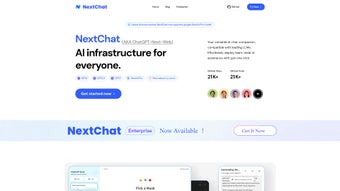
NextChat is a cloud‑native AI chatbot platform that puts the latest large language models (LLMs) directly into the hands of developers, marketers, support agents, and product managers without requiring any local installation or deep‑learning expertise. The service offers a clean, web‑based workspace where users can assemble conversational flows with a drag‑and‑drop prompt builder, select from a portfolio of models—including OpenAI’s GPT‑3, GPT‑4, the newly released GPT‑4.5, and Google’s Gemini Pro—and instantly preview the bot’s behavior in a live chat window. What truly distinguishes NextChat is its collaboration‑first design: team members can be invited to a shared workspace, leave inline comments on prompts, assign roles such as “Editor” or “Viewer,” and watch real‑time analytics that surface token consumption, response latency, and sentiment trends.
Security is baked in from day one; all traffic is encrypted with TLS 1.3, data at rest uses AES‑256 encryption, and the platform offers EU‑regional data residency for GDPR‑compliant organizations. The platform also ships with a library of ready‑made templates for common use‑cases—FAQ bots, lead‑qualification assistants, internal knowledge bases, and more—so you can get a functional prototype up and running in minutes rather than weeks. Continuous delivery ensures that new model versions, UI improvements, and security patches roll out automatically, keeping your bot up‑to‑date without manual intervention.
Whether you are a startup looking for a cost‑effective way to experiment with conversational AI or an enterprise needing a scalable, secure solution that integrates with existing CRMs and ticketing systems, NextChat delivers a unified, low‑maintenance environment that accelerates time‑to‑value while preserving full control over data privacy and usage metrics.
Key Features & Benefits of NextChat
- Multi‑Model Support: Switch instantly between GPT‑3, GPT‑4, GPT‑4.5, and Gemini Pro without redeploying infrastructure.
- Drag‑and‑Drop Prompt Builder: Visual canvas reduces syntax errors and speeds up experimentation for both technical and non‑technical users.
- Real‑Time Collaboration: Invite teammates, assign granular permissions, and comment directly on conversation flows.
- Analytics Dashboard: Track active sessions, token usage, sentiment scores, and response latency; export CSV reports for deeper analysis.
- Template Library: Pre‑built bots for customer support, lead qualification, internal knowledge bases, and more.
- Secure Hosting & GDPR Compliance: End‑to‑end encryption, regional data residency options, and strict privacy controls.
- API & Webhook Integrations: Connect to Slack, Microsoft Teams, WordPress, Zapier, or custom back‑ends via RESTful endpoints.
- Continuous Updates: Automatic model upgrades, UI enhancements, and security patches delivered without downtime.
- Scalable Pricing: Free tier for low‑volume testing, with pay‑as‑you‑go and subscription plans that grow with usage.
- Feedback Loop Tools: Built‑in rating widgets let end‑users flag unsatisfactory answers, feeding directly into model fine‑tuning pipelines.
By consolidating these capabilities into a single, browser‑based portal, NextChat eliminates the typical friction points associated with AI chatbot deployment. The modular architecture lets you start with a simple rule‑based bot and gradually introduce more sophisticated LLMs as confidence and budget increase. The analytics suite provides actionable insights that help you identify knowledge gaps, optimize token consumption, and demonstrate ROI to stakeholders. In practice, teams report that projects which previously required multi‑week engineering sprints can now be prototyped within a single workday, thanks to the combination of visual authoring, instant model switching, and built‑in collaboration tools. Moreover, the platform’s emphasis on security and compliance means you can adopt cutting‑edge AI without exposing your organization to unnecessary risk, making NextChat a compelling choice for both innovative startups and regulated enterprises.
Installation, First‑Run Guide, Compatibility & Pros / Cons
Step‑by‑Step Installation & First Use
NextChat is a true SaaS solution, so there is no software to download or servers to provision for the standard cloud experience. Follow these three simple steps to have a chatbot live in under ten minutes:
- Create an Account: Visit nextchat.com, click “Sign Up,” confirm your email, and choose the free tier (5,000 tokens/month).
- Select a Model: In the dashboard, pick the model that matches your budget and performance needs. Each model shows real‑time pricing and token limits.
- Build & Deploy: Use the drag‑and‑drop builder to create conversation nodes, add conditional logic, and connect external APIs. Press “Deploy” to generate a public URL or embed code.
After deployment you can test the bot directly from the dashboard, share the link with colleagues, or embed it on a website using a single JavaScript snippet. For organizations that demand on‑premise control, NextChat also provides an enterprise‑grade Docker image. The image runs on Windows Server 2019/2022, macOS (Intel & Apple Silicon), and any modern Linux distribution (Ubuntu 20.04 LTS or newer). The Docker option is intended for customers with strict data‑ residency or offline requirements; the cloud version remains the recommended path for most users because it automatically receives model updates, security patches, and scaling resources.
Operating System Compatibility
The web interface is fully responsive and works on the latest versions of Chrome, Edge, Firefox, and Safari. It is compatible with Windows 10/11, macOS Ventura and later, and major Linux desktop environments. Mobile browsers on Android 9+ and iOS 13+ also provide a seamless experience, allowing you to monitor analytics or edit bots on the go. The optional Docker deployment adds support for Windows Server, macOS, and Linux hosts, giving you the flexibility to run NextChat in a private data center if required.
Pros & Cons
- Pros:
- Zero‑install, cloud‑first approach accelerates time‑to‑value.
- Multi‑model support provides cost‑performance flexibility.
- Rich analytics and feedback loops enable continuous improvement.
- Collaboration features reduce hand‑off friction between developers and product teams.
- GDPR‑compliant data handling ensures legal peace of mind.
- Docker image offers on‑premise option for regulated industries.
- Free tier allows risk‑free experimentation.
- Cons:
- Free tier token limits may be restrictive for heavy testing.
- Advanced fine‑tuning and high‑volume usage require paid plans.
- Internet connectivity is required for the SaaS version; offline mode only via Docker.
- Pricing can become complex when mixing multiple LLMs.
- Enterprise Docker deployment adds operational overhead for self‑hosting.
NextChat offers a smooth, collaborative environment for building AI chatbots with multiple LLM options. The free tier is generous enough for small projects, and the analytics dashboard provides deep insight into usage patterns. While the pricing model can get intricate for large‑scale deployments, the platform’s security features and GDPR compliance make it a top choice for both startups and enterprises.
Frequently Asked Questions
Is NextChat free to use?
Yes. The free tier includes up to 5,000 tokens per month and access to GPT‑3. For higher volume or premium models such as GPT‑4, you can upgrade to a pay‑as‑you‑go plan or a subscription bundle.
Can I host NextChat on my own servers?
Absolutely. Enterprise customers can download a Docker image that runs on Windows, macOS, or Linux, giving full control over data residency, network policies, and offline operation.
Which large language models does NextChat currently support?
NextChat integrates OpenAI’s GPT‑3, GPT‑4, GPT‑4.5, and Google’s Gemini Pro. The platform’s architecture is designed to add new models as they become available through partner APIs.
How does NextChat ensure data privacy and security?
All conversation data is encrypted in transit using TLS 1.3 and at rest with AES‑256. Users can select EU‑regional data centers for GDPR compliance, and the platform never shares data with third parties without explicit consent.
What kind of support is available for NextChat users?
NextChat provides 24/7 email support for all plans, live‑chat assistance for paid tiers, and an extensive knowledge base that includes tutorials, API documentation, and community forums.
Conclusion – Why Download NextChat Today?
If you need a secure, low‑maintenance way to embed AI‑driven conversations into your product, NextChat delivers a compelling blend of flexibility, collaboration, and real‑time analytics. Its multi‑model architecture lets you start cheap with GPT‑3 and scale to more powerful LLMs as your use case matures, while the built‑in dashboard keeps you informed about performance, cost, and user sentiment. The free tier offers a risk‑free entry point, and the platform’s commitment to continuous updates means you’ll stay at the forefront of conversational AI without manual patches. Whether you’re building a simple FAQ bot for a website or a sophisticated virtual assistant for internal workflows, NextChat’s visual builder, template library, and secure cloud hosting accelerate development from weeks to minutes. Click the button below to create your account, spin up a chatbot in minutes, and experience the future of conversational AI today.



.png)



